
The Sourcetree Alternative You’ve Been Looking For

GitKraken Desktop provides a modern interface, cross-platform support, and AI features that save hours every week, helping you work faster and with more confidence in every commit.

Why GitKraken Desktop Outshines Sourcetree

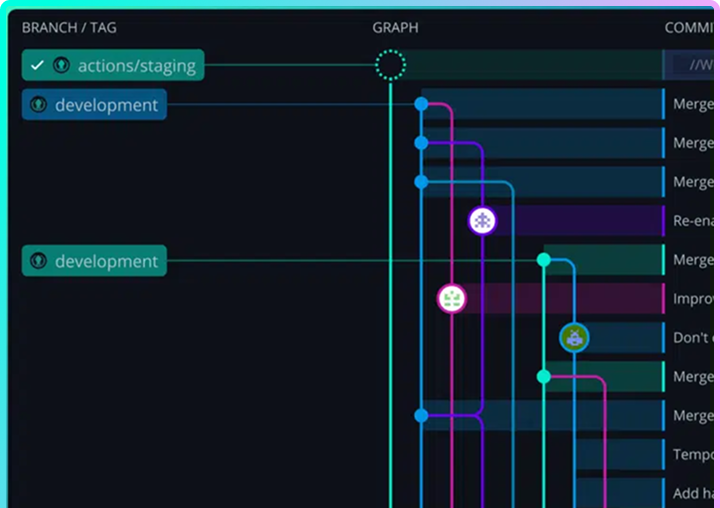
Cross-Platform & Modern UI
Sourcetree feels dated and is tied tightly to Atlassian’s ecosystem. GitKraken’s modern UI works on all operating systems and with all repo hosts.
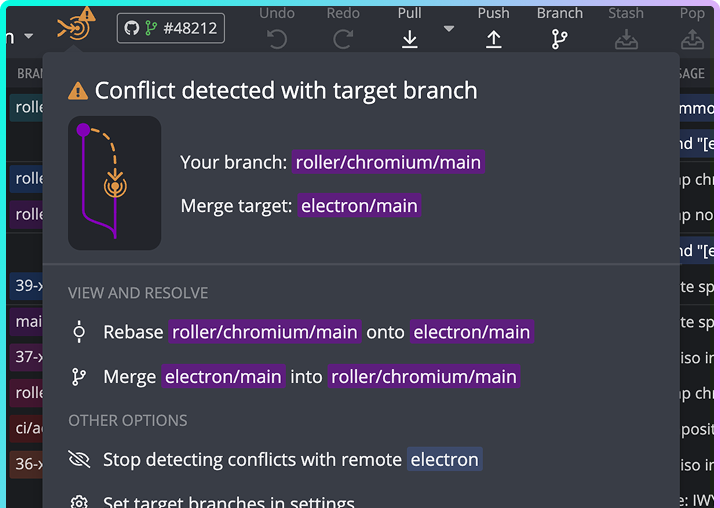
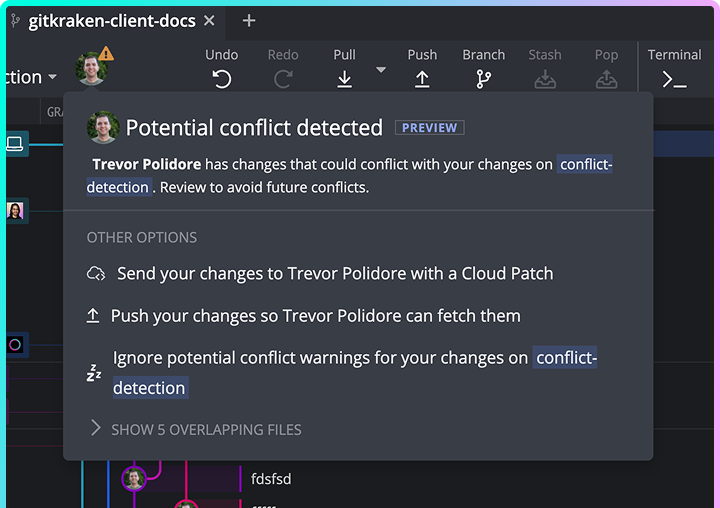
Conflict Detection
GitKraken Desktop proactively warns you about merge conflicts. Sourcetree leaves you to find out the hard way.
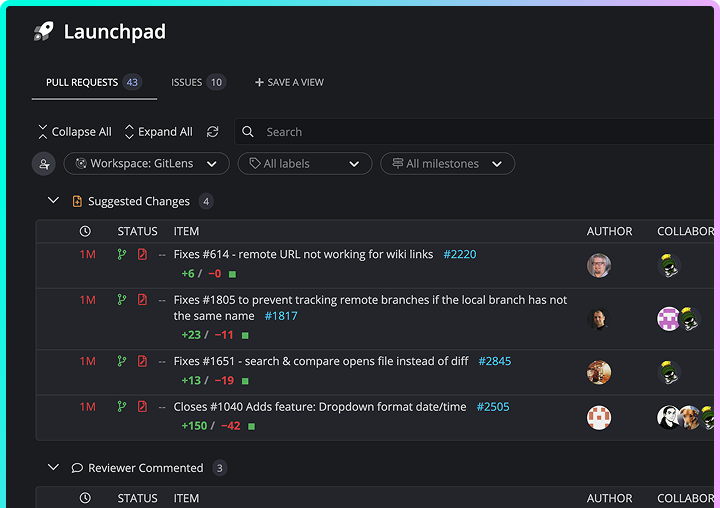
Less Context Switching
Launchpad lets you start from issues and PRs, not just repos. Sourcetree lacks this productivity boost.
Cross-Platform & Modern UI
Sourcetree feels dated and is tied tightly to Atlassian’s ecosystem. GitKraken’s modern UI works on all operating systems and with all repo hosts.
Conflict Detection
GitKraken Desktop proactively warns you about merge conflicts. Sourcetree leaves you to find out the hard way.
Less Context Switching
Launchpad lets you start from issues and PRs, not just repos. Sourcetree lacks this productivity boost.

GitKraken VS Sourcetree

GitKraken Desktop gives developers a clean, intuitive Git experience designed for the way teams work now. With built-in conflict detection, seamless integrations across providers, and AI features that automate monotonous work like commit messages and stash summaries, GitKraken transforms Git from a daily pain point into a workflow you can trust.
GitKraken Desktop vs Sourcetree GitKraken Desktop Sourcetree
Price
Starting at $0
Starting at $0
GitKraken AI
Linux, Mac & Window compatibility
Visual commit graph
Merge conflict tool
File diff view
Interactive rebase
Pull request review
Integrates with GitHub, GitLab, Bitbucket & Azure DevOps
Jira issue integration

Trusted By Developers At Leading Organizations

40M+
Developers
100k
Organizations
10B+
Commits

Why Developers Love GitKraken

The Ultimate Sourcetree Alternative

GitKraken Desktop gives you a modern, intuitive Git experience built to save time on every commit. Visual clarity, integrated AI, and productivity features designed with today’s developers in mind. 
Visual Studio Code is required to install GitLens.

Don’t have Visual Studio Code? Get it now.

Team Collaboration Services

Secure cloud-backed services that span across all products in the DevEx platform to keep your workflows connected across projects, repos, and team members
Launchpad – All your PRs, issues, & tasks in one spot to kick off a focused, unblocked day. Code Suggest – Real code suggestions anywhere in your project, as simple as in Google Docs. Cloud Patches – Speed up PR reviews by enabling early collaboration on work-in-progress. Workspaces – Group & sync repos to simplify multi-repo actions, & get new devs coding faster. DORA Insights – Data-driven code insights to track & improve development velocity. Security & Admin – Easily set up SSO, manage access, & streamline IdP integrations.
winget install gitkraken.cli