

 GitKraken Desktop
 GitLens for IDEs
  Kepler
 GitKraken MCP
 GitKraken CLI
 GitKraken Insights
 Git Integration for Jira
 Dev Team Automations
 AI & Security Controls
 Supercharge Your Dev Team
  Secure Your Dev Team

How to Resolve Git Merge Conflicts in 8 Easy Steps (2026)
A Git merge conflict happens when two branches edit the same line of code in different ways. Git can’t decide which version to keep, so

A Git merge conflict happens when two branches edit the same line of code in different ways. Git can’t decide which version to keep, so

Your team ships more code than ever, but are your pull requests keeping pace? As AI-assisted development accelerates output, code review collaboration platforms have become

Your distributed team just merged three branches at once, and the commit graph looks like a plate of spaghetti. Choosing the right version control platform

Running one AI coding agent is productive. Running five of them at once across three repositories? That’s a coordination problem. Agentic development environments (ADEs) give

Code review in a Jira-centric workflow can become a bottleneck fast. Pull requests pile up, context gets lost between your Git host and your issue

Five worktrees for five agents sounds like organization. In practice, it’s five contexts to keep straight, five places history could live, five spots for a
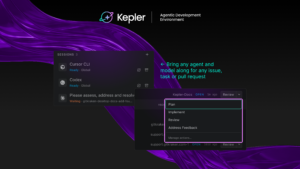
Every new AI coding agent comes with the same pitch: write code faster. For most devs, that part already checks out. Codex writes a function

Finding the right pull request review tool can mean the difference between a team that ships confidently and one that drowns in open PRs. When

Engineering teams are investing more in AI coding tools, and that means the platform you use to measure delivery performance needs to keep up. Jellyfish

Every so often we sit down with someone from our support team and turn their week into a blog post. This time, Roberto walks us


 Add to Chrome
 Add to Firefox
 Add to Microsoft Edge