GitKraken Desktop

Overview

GitLens: Enhanced Git for Modern IDEs

Supercharge Git in Windsurf, Cursor, Trae and Kiro

Bring GitLens into Windsurf and get advanced Git insights, commit exploration, and GitKraken AI tools right inside Windsurf’s collaborative AI coding environment.

The commit graph in GitLens is the best git GUI by far.

GitLens can literally make anyone feel like a git expert

GitLens adds so many features that it feels like it was shipped with my IDE!
Your Git Command Center

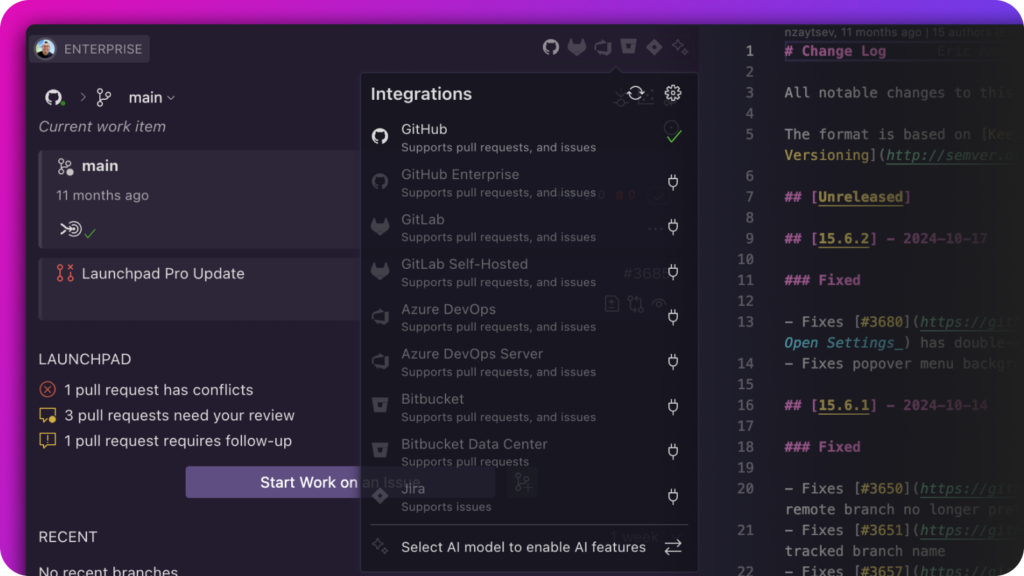
GitLens Home View answers critical questions at a glance: What am I working on now? What’s next in my queue? What have I shipped recently? Seamlessly integrated with GitHub, GitLab, Jira, Azure DevOps and Bitbucket–manage branches, issues, and PRs without leaving your editor. No context switching, just more coding.

GitLens Home View in a code editor showing current branch, PR status, and integrations menu with services like GitHub, Jira, and Azure DevOps.

Accelerate Your Workflow with GitKraken AI

GitKraken AI is included with GitLens Pro, automating the repetitive parts of your Git workflow so you can focus on what matters most – writing great code. With GitLens Pro, you’ll receive weekly token allocations to power these AI-driven features:

  • Generate Commit and Stash Messages – Generate precise, descriptive commit or stash messages tailored to your code changes (Pro)
  • Explain Commits – Decode complex commits with generated explanations of intent and impact (Pro)
  • Open Pull Requests – Generate clear PR titles and descriptions directly from your branch changes, speeding up review cycles.
  • Generate Changelogs – Effortlessly summarize repository changes for release notes or documentation updates. (Advanced)
  • AI Pull Request Creation – Open PRs with auto-generated titles and descriptions that actually explain your changes (Advanced)
  • Commit Composer – An early preview feature that uses AI to help organize and compose your Git commits into clear, logical stories. (Preview)


Choose Your AI Engine
Use Copilot (if installed), GitKraken AI, or your own custom provider.

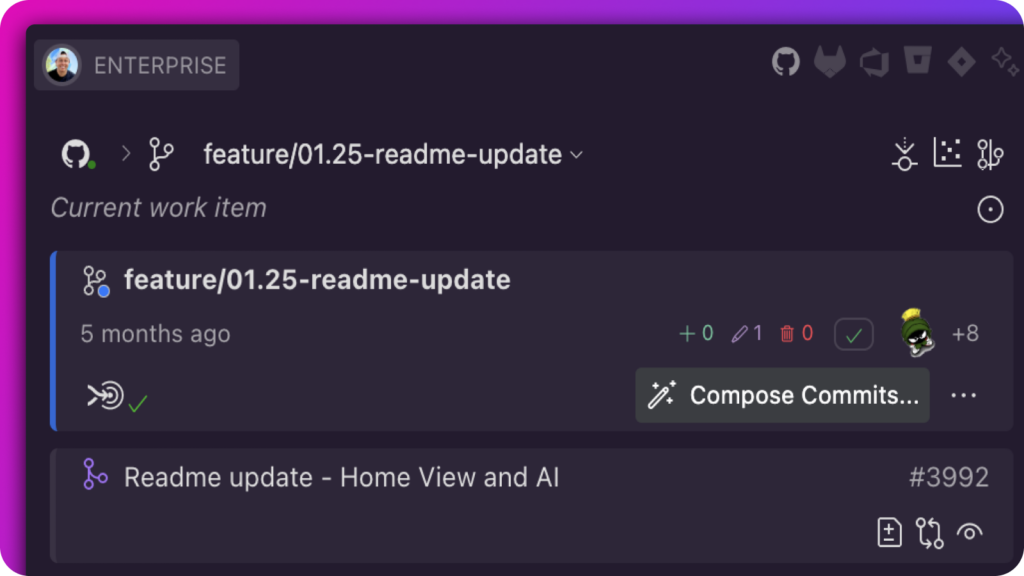
GitLens Commit Composer interface showing commit details, AI-powered message generation, and current work item on the feature branch 01.25-readme-update.

Visual Repository Intelligence

Commit Graph: Interactive Repository History

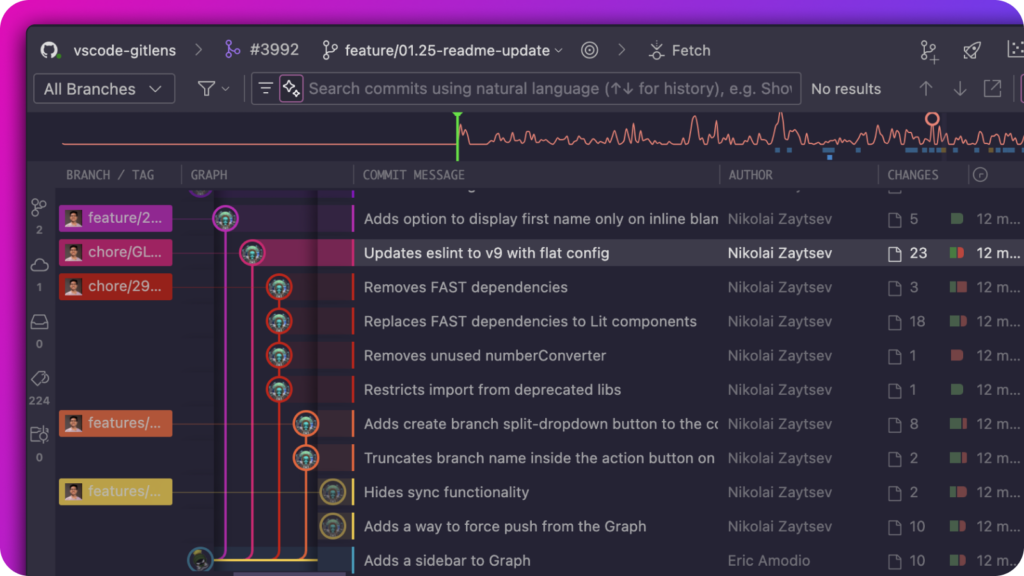
Navigate complex repositories with a visual, color-coded commit timeline. Instantly understand branch relationships, authorship patterns, and commit sequences. Select multiple commits to batch operations like cherry-picking or generate AI-powered changelogs, commits, stashes and more.

GitLens Commit Graph view showing a visual representation of branch history, commit messages, authors, and code changes across multiple branches including feature, chore, and main.

Inline Blame: Understand the "Why" Behind Every Line

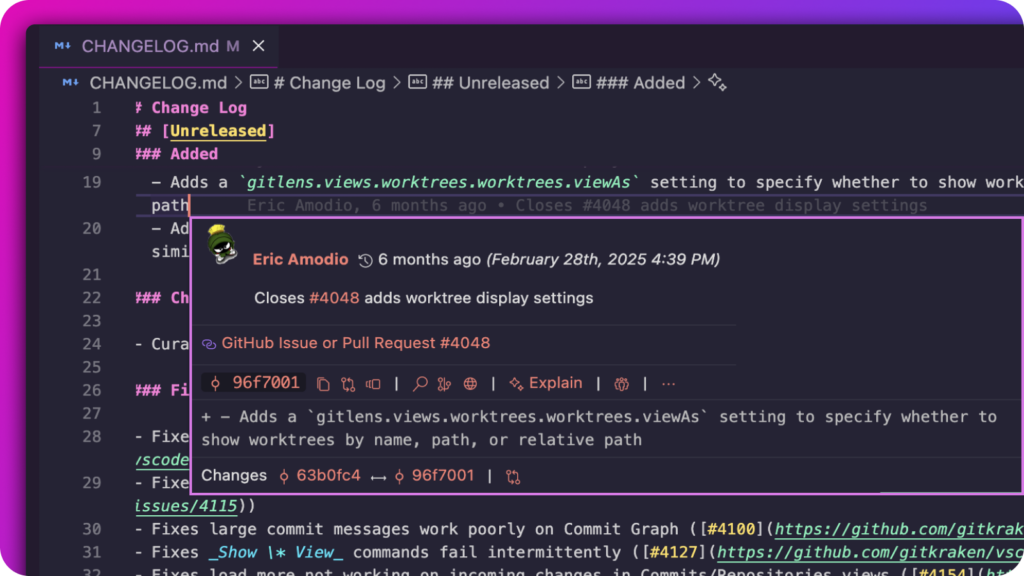
See who changed a line, when, and why without leaving your editor. Hover over blame annotations to:

  • View previous file revisions
  • Open related pull requests
  • Jump to commits in the Graph
  • Compare with previous versions
GitLens inline blame annotation tooltip showing commit details by Eric Amodio, including commit hash, timestamp, associated pull request, summary message, and code diff with highlighted changes in the CHANGELOG.md file.

Accelerate Collaboration

Launchpad: Your PR & Issue Hub

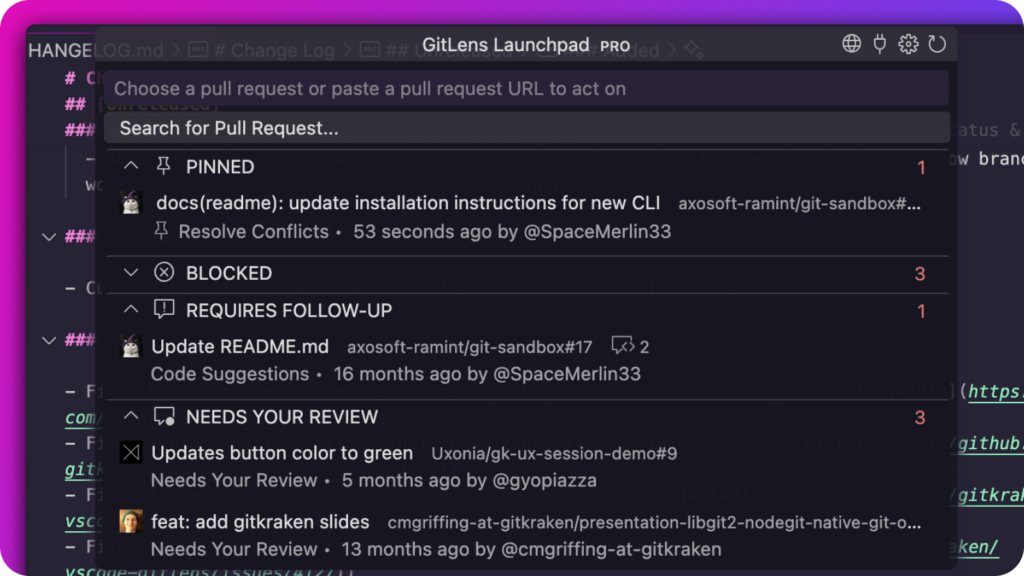
Organize tasks by status to identify bottlenecks and prioritize critical work. Group pull requests and issues across multiple repositories for a unified view of your development pipeline.

GitLens Launchpad interface showing categorized pull requests under statuses like PINNED, BLOCKED, REQUIRES FOLLOW-UP, and NEEDS YOUR REVIEW. Each entry includes PR titles, repositories, authors, review needs, and timestamps.

Cloud Patches: Share Code Pre-PR

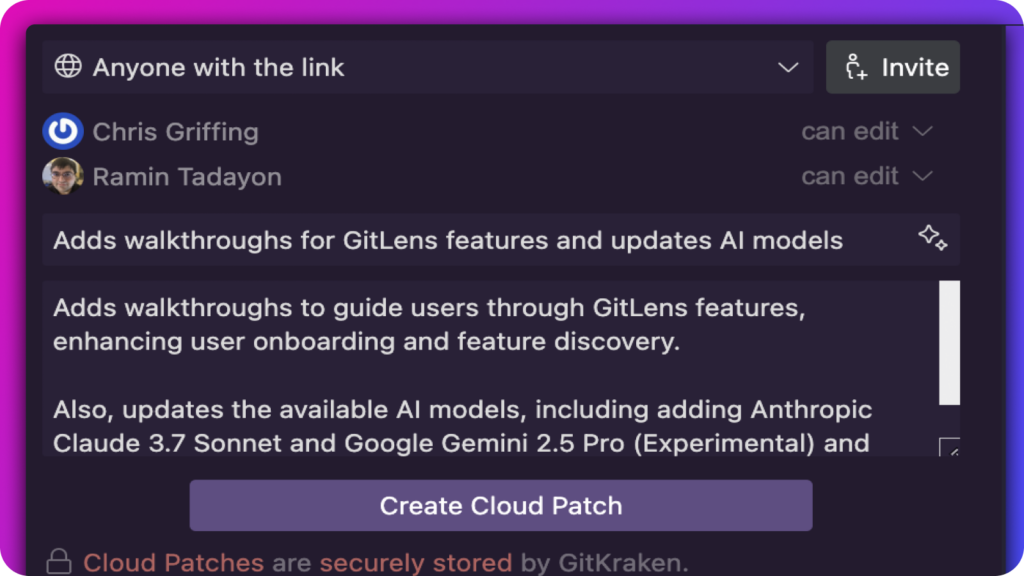
Share WIP code without cluttering your repository with branches or commits. Make your work accessible anytime, anywhere – ensuring team momentum across locations and time zones.

GitLens Cloud Patch UI showing collaborators Chris Griffing and Ramin Tadayon with edit access. Description explains a patch that adds feature walkthroughs and updates AI model options. A “Create Cloud Patch” button is shown at the bottom.

Multi-Repository Management

Multi-Repository Management

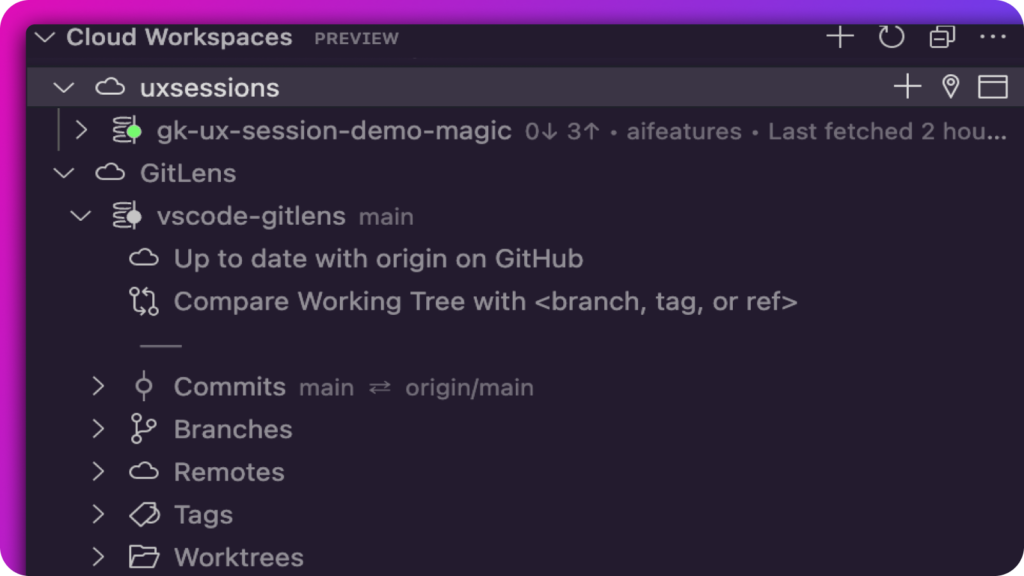
Group and manage all your repositories in a single, consolidated view. Track branch status, issues, and PRs across projects. No more tab overload.

GitLens Cloud Workspaces view displaying multiple repositories grouped under “uxsessions.” Shows the sync status with GitHub, branch comparison tools, and expandable sections for commits, branches, remotes, tags, and worktrees.

Worktrees: Eliminate Branch-Switching Friction

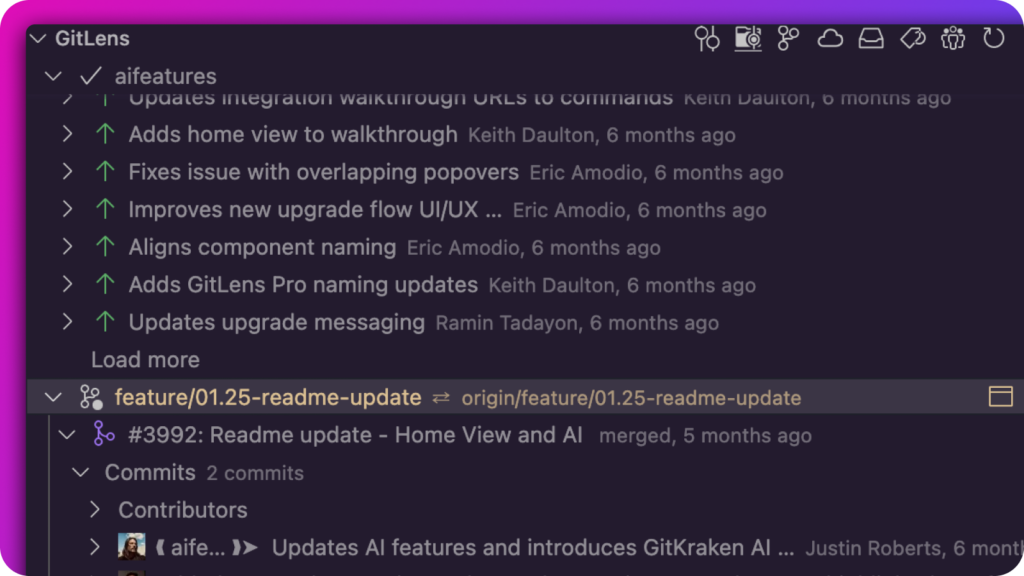
Work on multiple branches at once. Check out features, fix bugs, and review PRs, all without context-switching between branches.

GitLens Worktrees view showing active branches and recent commits. Highlighted is the feature/01.25-readme-update branch with merge details, contributors, and commit summaries visible below.

Seamless Integration

Stay in the Flow

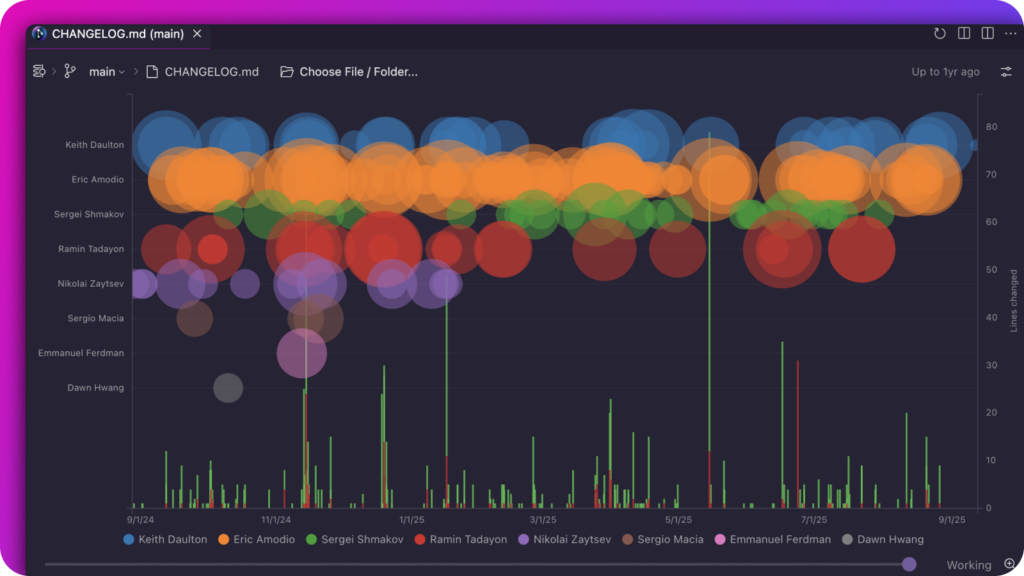
Access Git insights without leaving your IDE. Visual History lets you track file, folder and even repo evolution, from first commit to present. All within your IDE.

GitLens Visual History view showing a bubble chart of contributions over time. Each row represents a contributor with color-coded circles indicating commits, and a timeline along the bottom shows activity levels and lines changed. Vertical bars highlight changes across months, enabling a visual understanding of file evolution.

Cross-Platform Issue Tracking

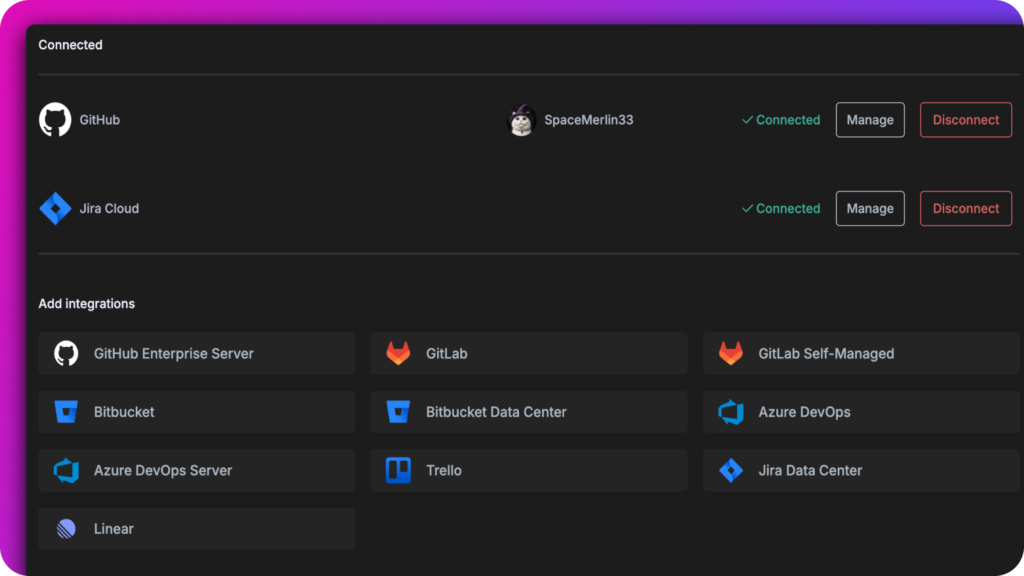
Automatically link issues and PRs across GitHub, GitLab, Azure DevOps, Jira, and Bitbucket. Create custom autolinks for other systems like Gitea and Gerrit.

GitLens integrations panel showing connected services (GitHub and Jira Cloud) and additional available integrations like GitLab, Azure DevOps, Trello, Bitbucket, and Linear, with user profile and connection status.

GitLens Community vs Pro

The Community version delivers powerful Git enhancements that transform your IDE experience. For developers seeking to accelerate their workflow, GitLens Pro unlocks full access to the Commit Graph, Worktrees, Commit Composer, Visual History, and provides additional AI-powered capabilities to streamline your entire development process.