

 GitKraken Desktop
 GitLens for IDEs
  Kepler
 GitKraken MCP
 GitKraken CLI
 GitKraken Insights
 Git Integration for Jira
 Dev Team Automations
 AI & Security Controls
 Supercharge Your Dev Team
  Secure Your Dev Team

Seven developer-requested features. Tighter control over branches, history, and large repos. No CLI detours required.
If you have been using GitKraken Desktop in a complex repo, you already know what it feels like when the commit graph turns into a wall of branches. When rebasing requires more ceremony than it should. When you just need one file back from three commits ago but have to orchestrate a whole checkout to get it.
GitKraken Desktop 11.10 is built for those moments. Every feature in this release came directly from developer feedback, and every one of them tightens control without adding complexity. Here is what is new.
Pin Branch to Left
This was your top request, and it is here.
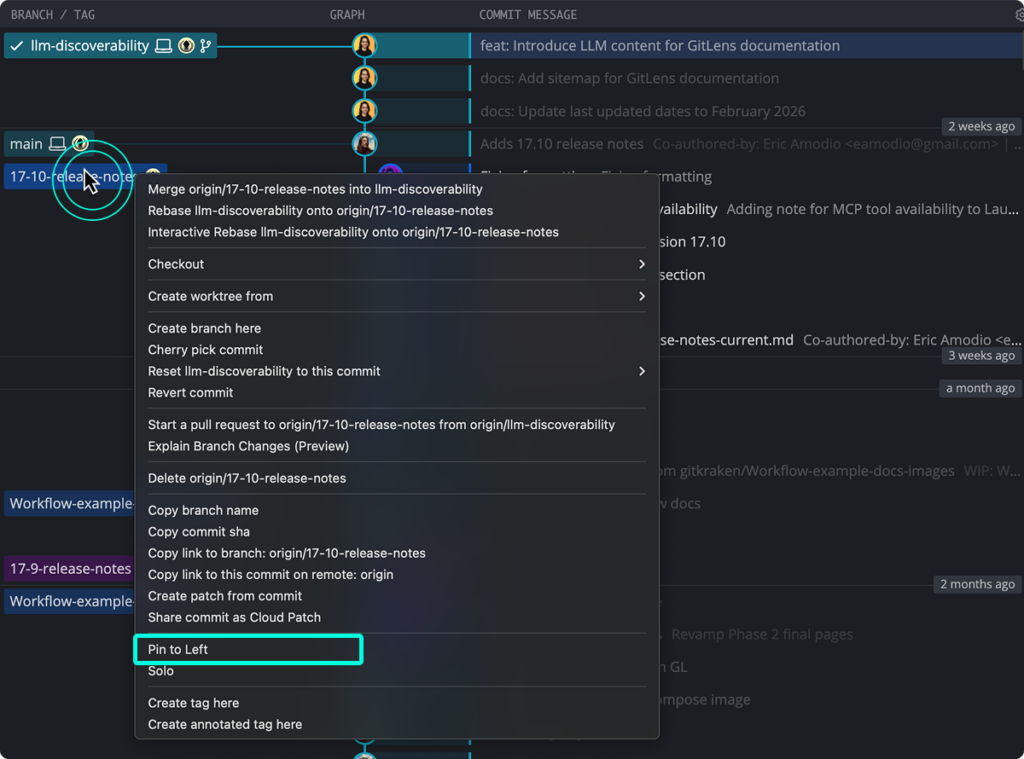
You can now pin any branch to the left side of the Commit Graph. Right-click a branch and select “Pin to Left.” Your main branch stays anchored visually, no matter how busy the graph gets. You always know where work is flowing and what it is merging into.
This is especially useful for default branches, long-running release branches, and any branch your team treats as ground truth. Anchor it. See everything relative to it.
Smart Branch Visibility
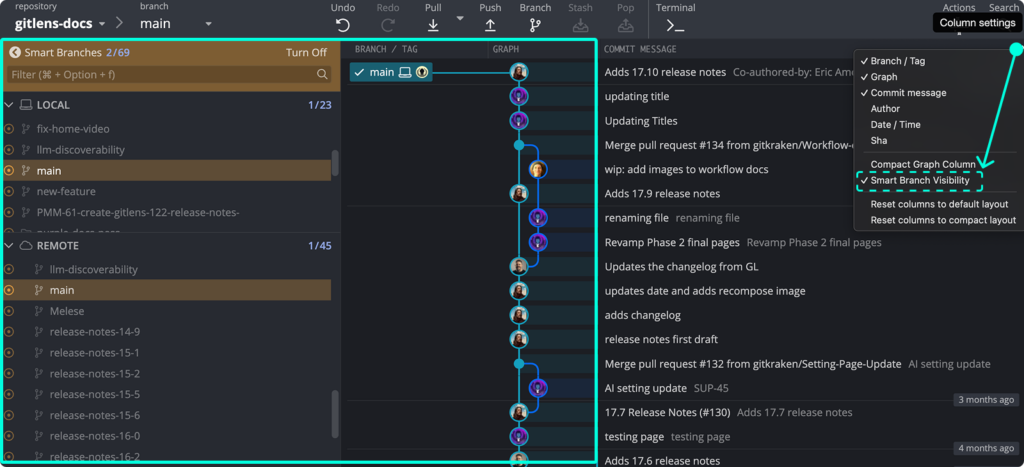
Complex repos have a signal-to-noise problem. Smart Branch Visibility solves it.
Enable it from the gear menu and GitKraken Desktop automatically focuses the Commit Graph on your current branch, its merge target, and their upstreams. The context you need is front and center. The noise that does not matter right now is filtered out.
You are still in full control. Smart Branch Visibility does not hide what matters. It just stops making you find it.
Rebase Last N Commits
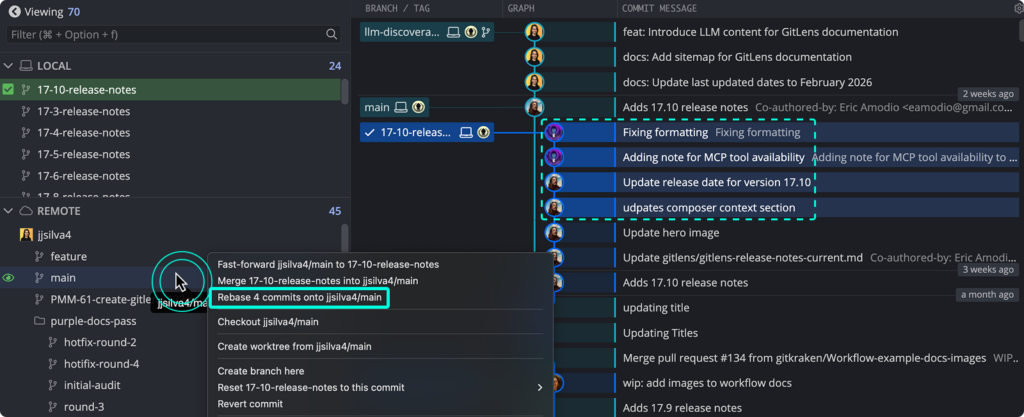
Interactive rebase is a powerful tool. But most of the time you do not need all of its ceremony. You just need to move a specific range of commits.
Now you can. Select a range of commits at the tip of your current branch using shift-click, then rebase that range onto another branch directly in the graph. No editor mode, no list shuffling, no CLI.
Faster. Clearer. Built into the workflow you are already in.
Squash on Merge Setting
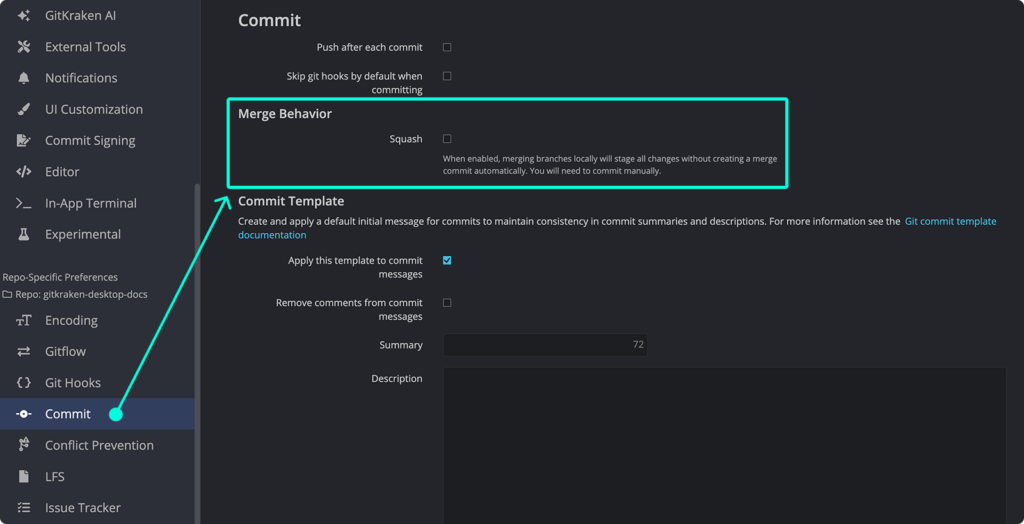
Clean history should not require a CLI workaround every single time.
There is now a Squash option in Commit Preferences. Enable it once and GitKraken Desktop will squash commits whenever you merge, by default, without you having to think about it. If your team cares about intentional, readable history, this setting enforces that automatically.
Restore File from Any Commit
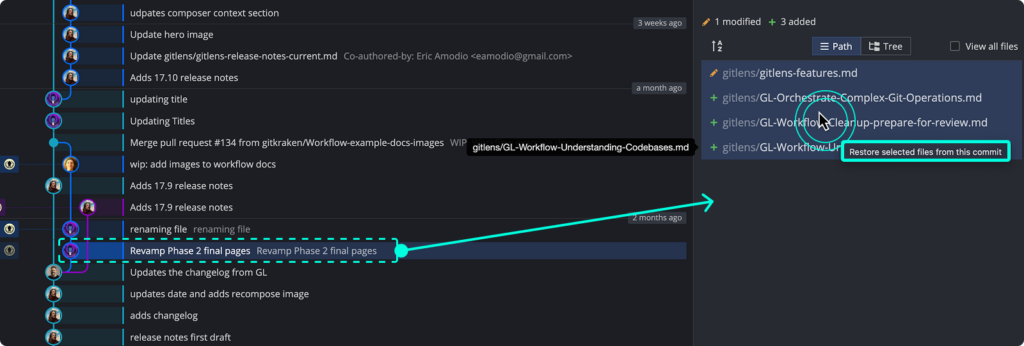
You need one file from three commits ago. Not the whole branch. Just the file.
Select any commit, right-click one or more files in the Commit Panel, and choose “Restore file from this commit.” The file drops straight into your working directory. No merge required, no branch gymnastics, no ceremony.
This is the kind of toolbox feature you will reach for in situations you cannot fully anticipate until you need it.
Sparse Checkout Support
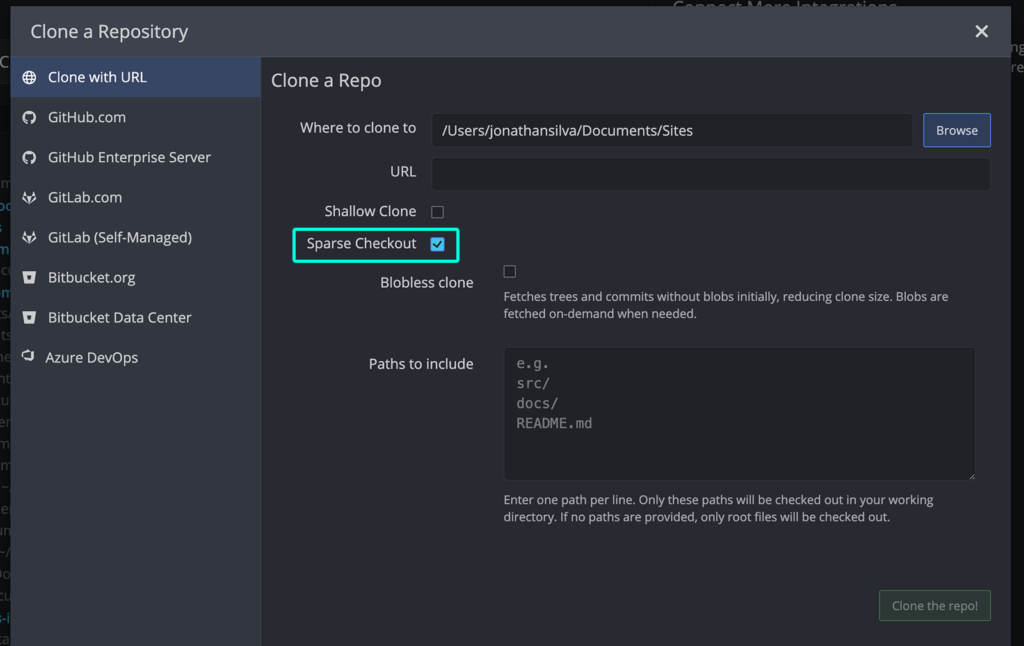
Monorepos are everywhere. Checking out the entire thing when you only need a slice of it is not.
GitKraken Desktop now supports sparse checkout. When cloning a repo, you can choose to check out only specific folders and files. For existing repos, you can configure sparse checkout in Preferences. Local load goes down. Large codebases become manageable.
If you work in large repos or monorepos, this one changes your day.
Word Wrap Toggle in Diff
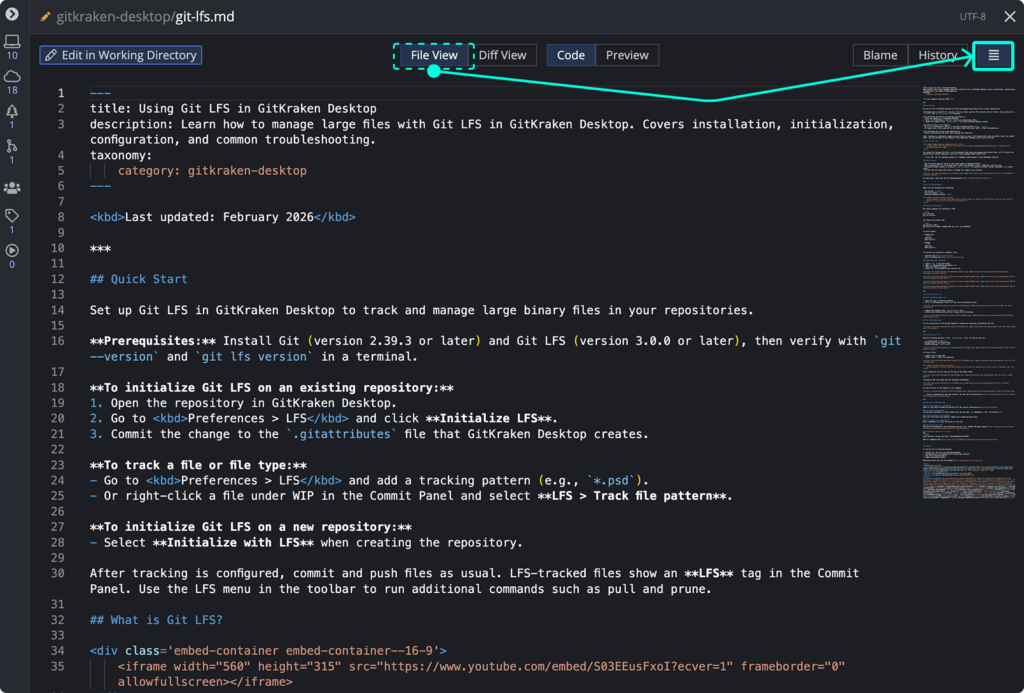
Small change. Real impact.
You can now toggle Word Wrap directly inside the diff view. Reviewing Markdown, documentation, LaTeX, or minified files no longer means scrolling horizontally to see the full context. Toggle on, see everything on one screen, review without friction.
All 11.10 Features at a Glance
- Pin Branch to Left
- Smart Branch Visibility
- Rebase Last N Commits
- Squash on Merge Setting
- Restore File from Any Commit
- Sparse Checkout Support
- Word Wrap Toggle in Diff
Built Around How You Actually Work
GitKraken Desktop 11.10 is not about reinventing Git. It is about delivering the structural controls experienced developers expect, right inside a visual workflow that removes friction without hiding power.
Every feature in this release was upvoted, requested, and waited on by developers who use GitKraken Desktop every day. We heard you, and we built it.
Update now to get everything in 11.10. And if you have not tried GitKraken Desktop yet, this is a great place to start.


 Add to Chrome
 Add to Firefox
 Add to Microsoft Edge