get your entire team running multiple agents with gkd 12.0
GitKraken Desktop 12.0 gives every developer a structured environment to run parallel agent sessions, not just the CLI experts. Teams using agents are already seeing up to a 25% productivity boost. GitKraken Desktop 12.0 is your unlock to get there.
Connect agents directly to your workflow with GitLens MCP, while GitKraken Insights tracks the results: commit frequency, cycle time, and adoption across skill levels.
Name the task and start. GitKraken Desktop creates a clean worktree, sets up the environment, installs dependencies, and launches your agent automatically while your current work stays untouched.
See every agent at once
Get one view of every agent across worktrees. See status, changes, and branch context at a glance. Jump into any session to inspect its commit history and keep work moving.
Use any agent. Stay in control
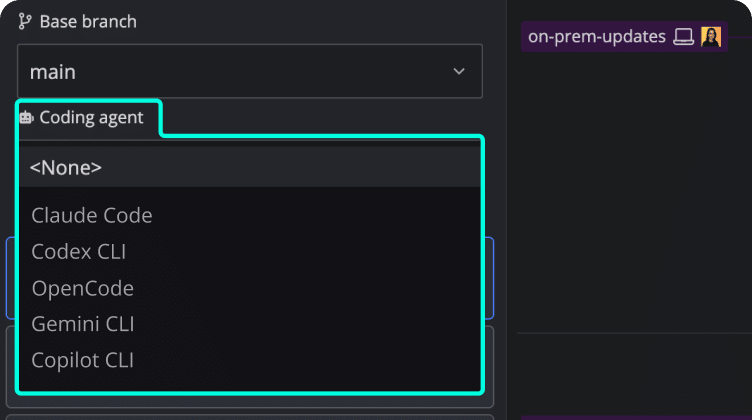
Use your agents how you prefer: IDE, CLI, or external tools. Whether using Claude Code, Codex, Copilot, Cursor, OpenCode, Gemini CLI, Copilot or your own setup, GitKraken Desktop’s integrated terminal can bring them into one view. No context switching required.
GitKraken Desktop Desktop
GitLens IDES
GitKraken CLI Terminal
AI + MCP GitKraken MCP
Analytics GitKraken Insights
GitKraken Desktop
Simplify Git and minimize mistakes with your companion on Windows, Mac, and Linux.
GitKraken works natively with GitHub, GitLab, Bitbucket, Jira, IDEs, LLMs and more, so you can maintain flow without context switching.
If you are doing agentic coding, GitKraken is the one indispensable tool that you absolutely must use if you want to stay on top of what your agents are up to. It is the one tool that I really can’t imagine living without
@johnennis
GitKraken Desktop is my daily driver for all source control work. The UX allows me to work very effectively with repositories, work items, and PRs. The AI infused flows take this up a notch and let me offload that work so I can focus on what really matters.
Kevin Bost, Senior Software Architect
GitKraken Desktop has become my essential Git tool. If you want a Git client that combines powerful visualization, smart AI assistance, and an excellent user experience, GitKraken Desktop is hard to beat.
Dr. Holger F., CEO
give your team a single surface to run & monitor multiple agent sessions in parallel
GitKraken Desktop is a visual Git interface that keeps every agent session, diff, and commit visible from the same surface they already use.
Secure cloud-backed services that span across all products in the DevEx platform to keep your workflows connected across projects, repos, and team members
Launchpad – All your PRs, issues, & tasks in one spot to kick off a focused, unblocked day.Code Suggest – Real code suggestions anywhere in your project, as simple as in Google Docs.Cloud Patches – Speed up PR reviews by enabling early collaboration on work-in-progress.Workspaces – Group & sync repos to simplify multi-repo actions, & get new devs coding faster.DORA Insights – Data-driven code insights to track & improve development velocity.Security & Admin – Easily set up SSO, manage access, & streamline IdP integrations.



 GitKraken Desktop
 GitLens for IDEs
  Kepler
 Git Integration for Jira
 Dev Team Automations
 AI & Security Controls
 Supercharge Your Dev Team
  Secure Your Dev Team

















 Add to Chrome
 Add to Firefox
 Add to Microsoft Edge