

 GitKraken Desktop
 GitLens for IDEs
  Kepler
 GitKraken MCP
 GitKraken CLI
 GitKraken Insights
 Git Integration for Jira
 Dev Team Automations
 AI & Security Controls
 Supercharge Your Dev Team
  Secure Your Dev Team


Most companies buy AI tools for developers and hope the impact shows up somewhere. A faster sprint. Fewer escaped bugs. Something. What they don’t have is a way to actually see it happening, which means adoption becomes a leap of faith instead of a measured bet.
That’s the gap Kepler and GitKraken Insights close together, and it’s worth understanding as one story, not two separate product updates.
Two products, one loop
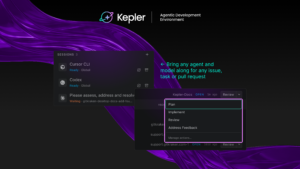
Kepler gives individual developers the tools to work with any AI agent and run more than one thread of work at a time. Insights gives engineering organizations the ability to see how agents are actually being used across their teams, and to turn that into guidance developers can act on.
“We’re building Insights to help organizations understand better how agents are being used across their development organizations, and to help them understand how they can help their developers become more effective users of AI,” said Justin Roberts, Senior Director of Product at GitKraken. “Kepler is approaching it from the other direction, providing the tools for developers to better leverage agents. There’s a synergy building between the two.”
Put simply: Kepler is where the work happens. Insights is where an organization finds out whether that work is paying off.
Why measuring adoption without a workflow behind it doesn’t work
Here’s the reframe worth sitting with. Most engineering leaders treat “measure AI impact” and “give developers better agent tools” as two separate line items on two separate roadmaps. Handled that way, Insights ends up measuring a mess: developers running agents however they can figure out, with no consistent workflow underneath, which makes the data noisy and the guidance built from it shaky.
Kepler removes that noise at the source. Because it gives developers a consistent way to run agent-driven work, task by task, with Git complexity handled underneath, the activity Insights is measuring is activity that actually reflects how the work got done, not just that it got done somehow.
The feedback loop, in practice
The two products complete a cycle:
- Developers use Kepler to connect their preferred agents, break work into tasks, and run more than one thread at a time.
- Insights measures that usage across the organization, surfacing where AI adoption is working and where it isn’t.
- That measurement feeds back into best practices that engineering leaders can push back down to their teams, closing the loop between individual workflow and organizational strategy.
“We’re already starting to see, both internally and with other customers, how the benefits of a tool that helps developers leverage agents can feed back into impact an organization can measure,” Roberts said. “We’re excited about the synergy building between these two products, and how it’ll help organizations grow as they learn to adopt agents across their development teams.”
What this means depending on where you sit
If you’re a developer, this isn’t about being watched. It’s about Kepler doing the coordination work so you can run more of your own threads without losing track of any of them.
If you’re the one accountable for whether your org’s AI investment is working, this is the answer to the question you can’t currently answer with confidence: not “are developers using AI,” but “is it actually making the work better, and where.”




 Add to Chrome
 Add to Firefox
 Add to Microsoft Edge