


 GitKraken Desktop
 GitLens for IDEs
  Kepler
 GitKraken MCP
 GitKraken CLI
 GitKraken Insights
 Git Integration for Jira
 Dev Team Automations
 AI & Security Controls
 Supercharge Your Dev Team
  Secure Your Dev Team
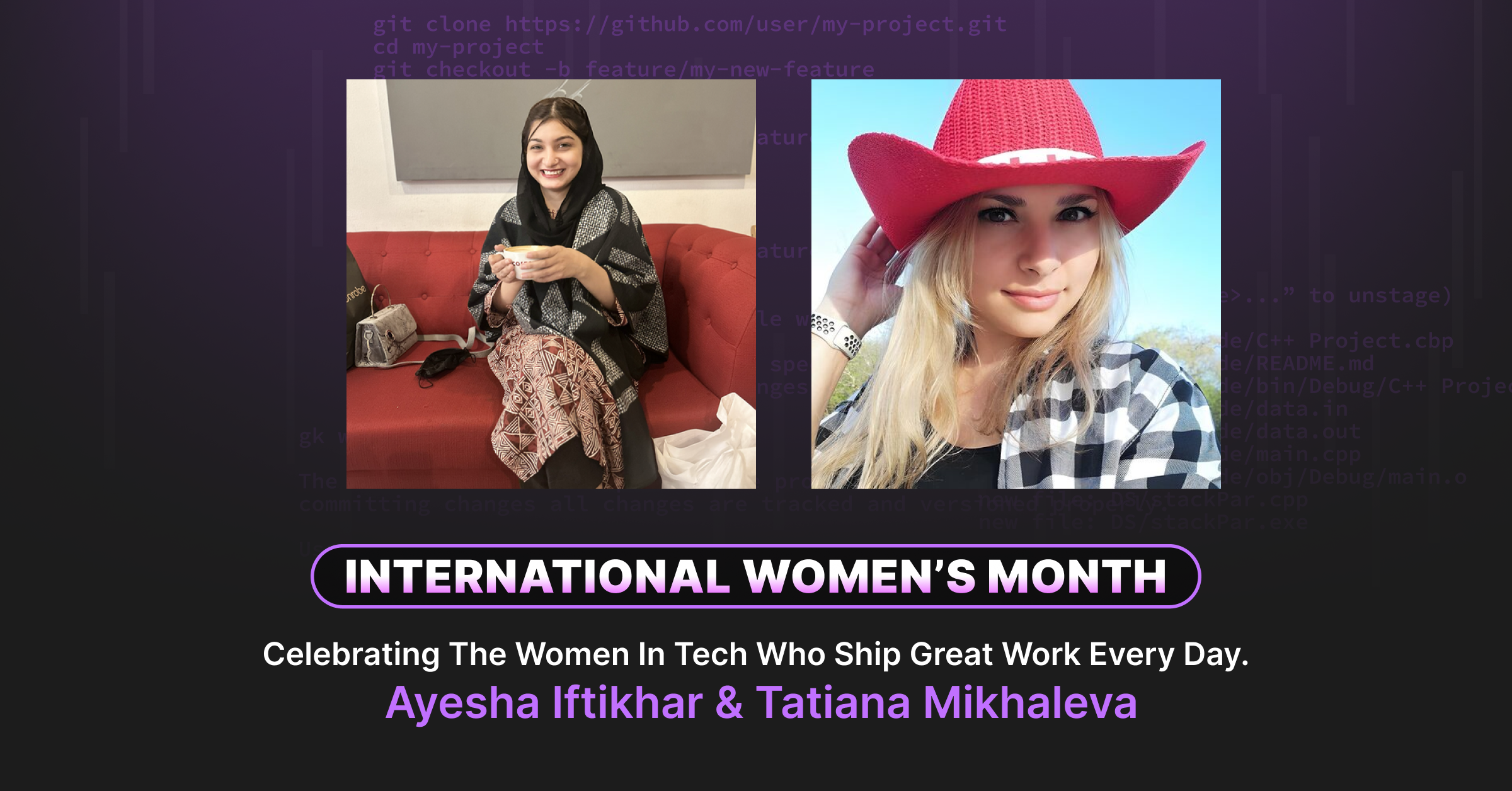
This International Women’s Month, we’re spotlighting developers from our community whose workflows are worth stealing. But the lessons from engineers like Ayesha and Tatiana aren’t relevant just one week a year, they’re principles that apply every time you commit code, resolve conflicts, or ship to production. We celebrate them this month. We learn from their work every day.
The Problem They Both Solved: Git Shouldn’t Be the Hardest Part of Shipping
Ayesha Iftikhar is a senior mobile developer in Pakistan building AI-powered applications. Tatiana Mikhaleva is a platform engineer running DevOps Pink, teaching cloud automation to thousands of developers.
They work on different continents, in different tech stacks, solving different problems.
But they share one frustration that changed their entire approach to development: Git was stealing hours they should have spent building.
For Ayesha, it was merge conflicts. Hours spent untangling changes in dating apps and communication platforms. One mistake and everything reverted back to chaos.
For Tatiana, it was the panic. Bank infrastructure releases hanging in the balance. Terraform files with massive merge conflicts. One typo in the terminal and the entire pipeline fails.
Both engineers made the same decision: stop accepting Git friction as inevitable.
Here’s how they engineered their way out.
Ayesha’s Workflow: From Hours to Minutes Through Strict Strategy
The Productivity Gain: 90% Time Reduction
Before: Hours resolving merge conflicts, with one mistake sending her back to square one.
After: 10-20 minutes to resolve conflicts cleanly, every time.
That’s not a motivational claim. That’s workflow engineering.
Her Strict Branch Strategy
Ayesha doesn’t negotiate on branching:
- main = production-ready code only
- dev = integrations
- feature = dedicated tasks, isolated work
No exceptions. No shortcuts. This foundation makes everything else possible.
Her Daily Workflow
- Pull from main (always main, never other branches)
- Create feature branch
- Rebase feature branch immediately
- Work in isolation
- Interactive rebase before every PR
That last step is critical. Her reviewers see the intent of her work, not the noise of 47 “fix typo” commits.
When Conflicts Happen
Ayesha’s conflict resolution process:
- Review the commit graph visually in GitKraken
- Create a hotfix branch based on what she sees
- Cherry-pick the safe commits
- Revert the problematic changes
- Merge back cleanly
Time investment: 10-20 minutes instead of hours of terminal archaeology.
The One Trick She’d Tell You to Steal
“Always rebase from main. Not from dev. Not from other feature branches. Main only.”
Why? It creates the cleanest commit history possible. Your teammates see a linear story, not a branching nightmare.
Her Advice for Early-Career Engineers
“Learn Git deeply. Not just commands, but the strategy. Learn how it works, what the purpose is, how different commands work together. Don’t just cram commands and copy-paste them.”
For women in tech specifically:
“Make your own technical voice. Own your work. Your competence will speak for itself. I know as a woman in tech, especially as a developer, it’s usually hard in the start. People will take you for granted. But your work will speak for you. Stay strong, focus on what you’re doing, and you’ll do great things.”
Tatiana’s Workflow: Avoiding Panic Through Visual Clarity
The Productivity Gain: Stress to Calm in 5 Minutes
Before: Hour-long panic sessions fixing Terraform merge conflicts in bank infrastructure right before major releases.
After: 5-minute visual merge resolutions with zero stress.
Tatiana’s gain isn’t just time, it’s confidence. When you’re deploying to production banking systems, panic kills velocity.
Her Daily Workflow: Context Switching at Scale
Tatiana’s day is a “wild mix” of cloud automation, content creation for DevOps Pink, and jumping between multiple repositories.
Her morning ritual: Open GitKraken Workspaces.
“Seeing that beautiful visual graph instantly tells me exactly where all my branches are. I never have to guess or type ‘git status’ 100 times. It gives me total clarity so I can focus on creating instead of fighting the terminal.”
The psychological shift: From defensive (where are my branches?) to offensive (what am I building today?).
Her Conflict Resolution Story
“I remember working on bank infrastructure and right before a huge release, we hit a massive merge conflict in our Terraform files. Fixing that in the terminal is a complete nightmare. One typo and the whole pipeline fails.”
Her solution: GitKraken’s visual merge tool.
“Being able to see the changes side by side and just click what to keep was absolute magic. It turned an hour of pure stress into a quick 5-minute fix. It completely saved our release.”
The One Trick She’d Tell You to Steal
Interactive rebase as a finishing move:
“Your local branch is your sandbox. Feel free to make messy, broken commits while you work. But before you merge, open GitKraken, use the visual drag-and-drop rebase to squash all those tiny ‘fixed typo’ commits into one beautiful clean story. Be as messy as you want locally, but push a perfect history. Honestly, it makes you look like an absolute pro.”
The pattern: Optimize for workflow during development, optimize for clarity during code review.
Her Advice: Stop Suffering to Prove Yourself
“If I could go back, I’d tell myself one thing: There is absolutely no medal for suffering in tech. Early on, I felt this huge pressure to only use the command line, just to prove I was a real engineer. But honestly, if a visual tool makes you work faster, more creative, and saves you an hour of debugging, just use it. Stop making things harder than they need to be.”
For women entering tech:
“Build a rock-solid foundation. Master your core tools—Docker, Kubernetes, Git. Because when you know how to build clean, automated systems, your work simply speaks for itself. The tech world needs your voice, so let’s build amazing things together.”
The Pattern: Empowerment Through Craft Mastery
Ayesha and Tatiana work in completely different domains. But their approach to productivity is identical:
1. Identify the friction that steals your time
- Ayesha: Hours on merge conflicts
- Tatiana: Panic before production releases
2. Engineer a workflow that removes it
- Ayesha: Visual graph + hotfix + cherry-pick process
- Tatiana: Visual merge tool + workspace clarity
3. Measure the tangible gain
- Ayesha: Hours → 10-20 minutes
- Tatiana: Hour of stress → 5-minute resolution
4. Build confidence through consistency
- Ayesha: Ships with certainty because her process is repeatable
- Tatiana: Deploys to banks without panic because her tools give her clarity
5. Share what works
- Both are GitKraken ambassadors teaching others their workflows
- Both emphasize: Your work speaks for itself when you have the right systems
What They’d Tell You About Git Workflows
From Ayesha:
“Learn the strategy, not just the commands. Understand why you’re rebasing from main, not just how to run the command. When you understand the strategy, you can optimize your workflow for your specific use case.”
From Tatiana:
“There’s no medal for suffering. If a visual tool saves you an hour of debugging and makes you more creative, use it. The goal is to build great software, not to prove you can memorize Git commands.”
What They Both Prove:
Productivity gains aren’t about working harder. They’re about removing unnecessary friction.
When Ayesha cut her merge conflict time by 90%, she didn’t become a better Git memorizer. She became a better engineer because she had more time to focus on architecture.
When Tatiana turned hour-long panic sessions into 5-minute fixes, she didn’t compromise on quality. She raised it because stress doesn’t produce good code.
The Takeaway: Your Workflow Should Work For You
Ayesha and Tatiana engineered their Git workflows the same way they engineer software: identify the problem, build a solution, measure the gain, iterate until it’s repeatable.
Every time you:
- Visualize your commit history instead of parsing terminal output
- Resolve conflicts with a visual diff tool instead of editing markers
- Use interactive rebase to clean your history before review
- Ship code with confidence because your process is consistent
You’re applying the same philosophy that took Ayesha from hours of merge conflict frustration to 10-20 minute resolutions. You’re using the same approach that turned Tatiana’s pre-deployment panic into calm, methodical 5-minute fixes.
Their message to women in tech:
- Ayesha: “Your competence will speak for itself. Stay strong, focus on what you’re doing, and you’ll do great things.”
- Tatiana: “The tech world needs your voice. Build clean, automated systems. Let’s build amazing things together.”
Their message to all developers: Stop accepting Git friction as inevitable. Engineer your workflow. Measure your gains. Share what works.
We’re featuring Ayesha and Tatiana this International Women’s Month because their technical achievements deserve recognition. But their lessons apply every day you sit down to code: build systems that work for you, not against you.
Want to engineer your own workflow like Ayesha and Tatiana? See how visual Git workflows remove friction and build confidence. Start your free trial →


 Add to Chrome
 Add to Firefox
 Add to Microsoft Edge