

 GitKraken Desktop
 GitLens for IDEs
  Kepler
 GitKraken MCP
 GitKraken CLI
 GitKraken Insights
 Git Integration for Jira
 Dev Team Automations
 AI & Security Controls
 Supercharge Your Dev Team
  Secure Your Dev Team

TL;DR
Some releases break new ground. Others clear the path. GitKraken Desktop 11.8 does both.
You know that moment when you’re three commits deep into an interactive rebase and realize you’ve made a terrible mistake? Or when you’re trying to explain what changed on a feature branch, but it means manually selecting 47 commits? Or when you just want to preview a README without opening another app?
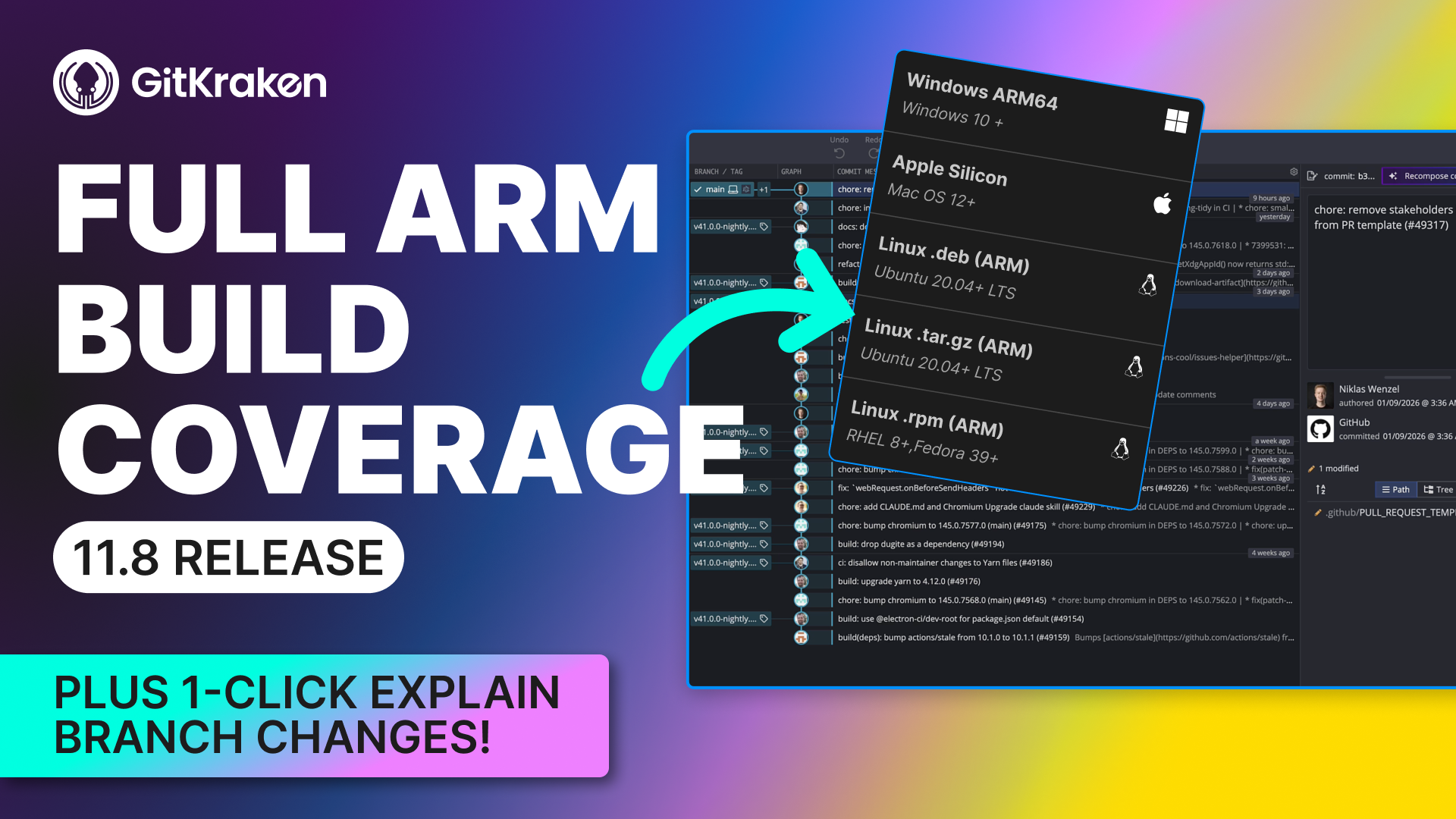
GitKraken Desktop 11.8 solves these real developer problems with features that actually matter: AI-powered branch explanations, rebase undo/redo, in-app markdown preview, and native ARM builds across all platforms.
Ready to see it in action? Check out the Youtube Tutorial below.
Right-Click Any Branch to Understand What Changed
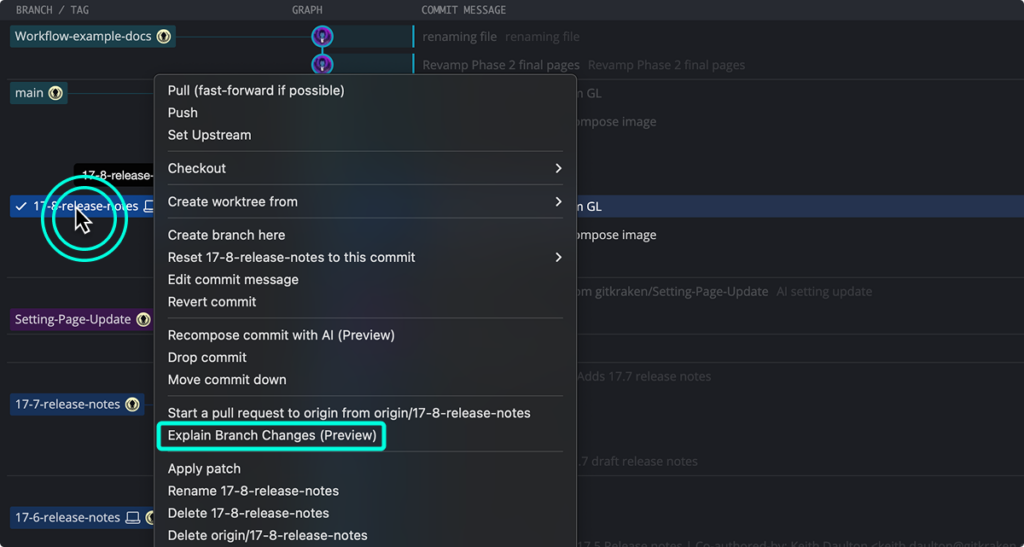
The problem: Understanding what changed on a branch shouldn’t require a PhD in Git archaeology. Yet most of us end up manually selecting commits, scrolling through diffs, or asking teammates “wait, what did this branch actually do?”
The solution: GitKraken AI now lets you right-click any branch and instantly get a human-readable summary of what changed and why. No manual commit selection. No context switching. Just answers.
Here’s what makes this powerful: the app automatically selects all commits on the branch, compares the base commit to HEAD, and uses that diff to generate change and impact summaries. What used to take 10 minutes of investigation now takes 10 seconds.
This is especially useful during code review, post-deployment analysis, or when you’re trying to remember what you were thinking three weeks ago.
Rebase Undo/Redo: Because Mistakes Happen
![GitKraken Desktop interface showing the Undo button highlighted, with tooltip "Undo Rebase from [commit SHA]" displayed.](https://gitkraken.com/wp-content/uploads/2026/01/undo-rebase-1024x419.png)
The problem: Rebasing is powerful. It’s also terrifying. One wrong move during an interactive rebase and you’re Googling “how to recover from git rebase disaster” at 2 AM.
The solution: GitKraken Desktop’s undo button just got significantly more powerful. You can now undo and redo rebases, including interactive rebases, cherry-picks, and any composed commits from GitKraken AI.
The undo button was already great at reversing commits, checkouts, and other local actions. Now it handles the scary stuff too. Think of it as a safety net that lets you experiment without fear.
Try that aggressive history rewrite. Clean up those commits. If it goes sideways, just hit undo. This is the kind of forgiveness that makes you a better developer because you’re not afraid to use advanced Git features.
Markdown Preview Without Leaving GitKraken
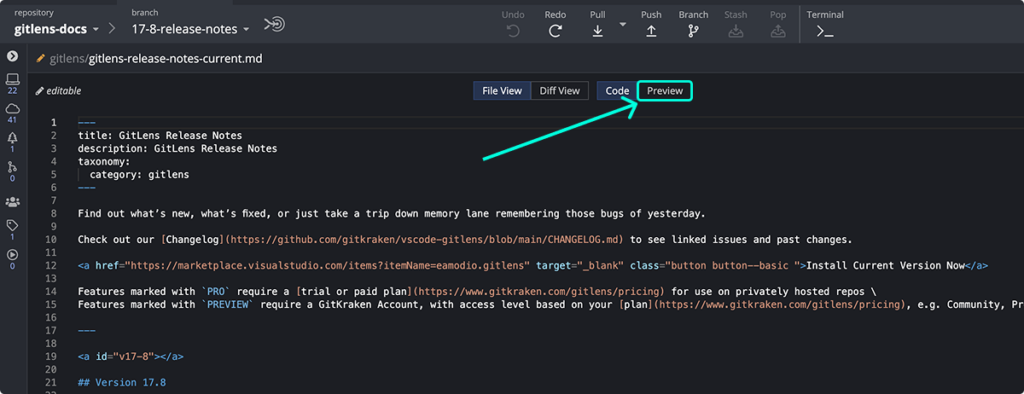
The problem: Editing files inside GitKraken Desktop is one of those features many developers don’t know exists. But even if you did, previewing markdown meant jumping to another app.
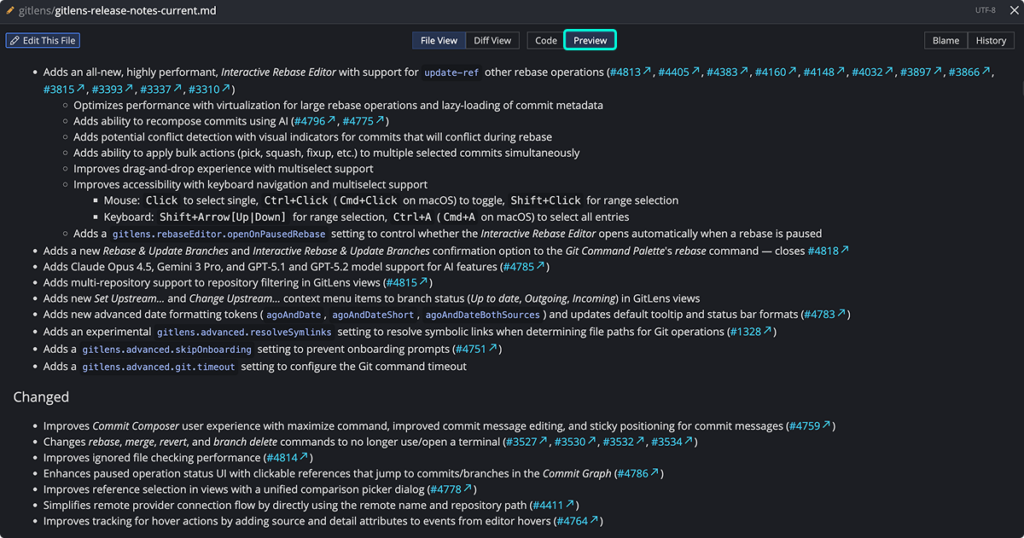
The solution: You can now preview markdown files directly in the file viewer. Toggle between code and rendered view without context switching.
This might seem small, but consider how many .md files you interact with daily: READMEs, documentation, PR descriptions, project notes, changelog files. Being able to see exactly how they’ll render without leaving your Git client removes friction from your workflow.
Quick edit, quick preview, quick commit. That’s how documentation should work.
Shallow Clone at Clone Time
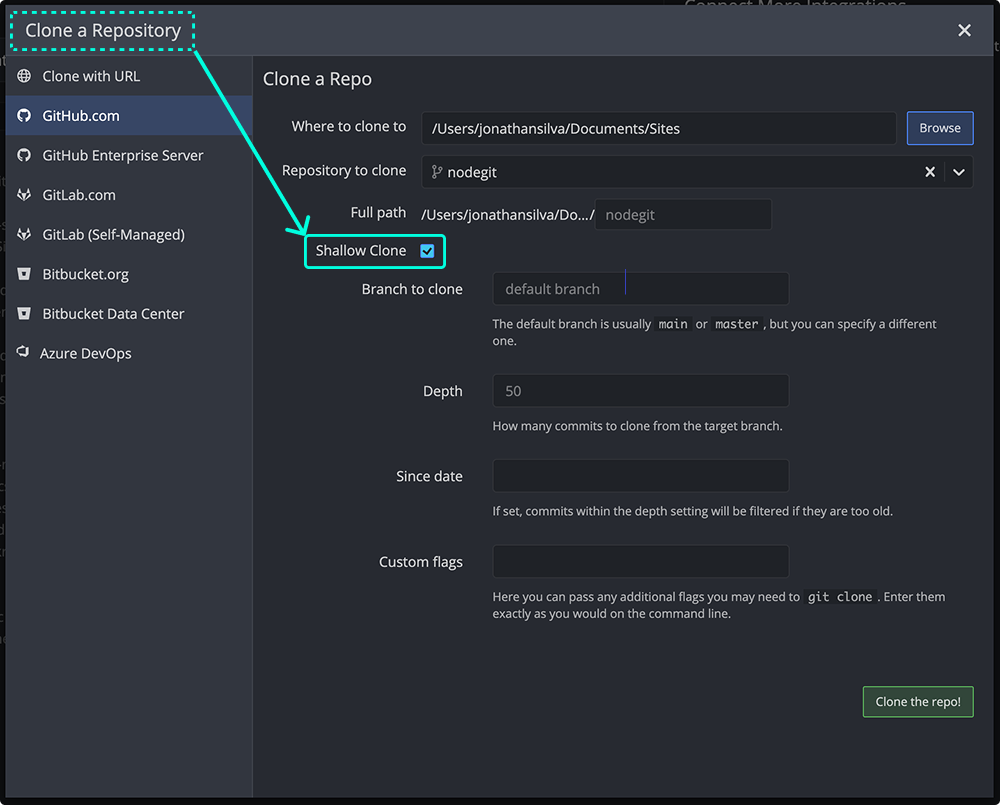
The problem: Large repos are slow to clone. If you’re testing something, working in CI, or just want to move fast, cloning the entire Git history is overkill.
The solution: GitKraken Desktop already supported opening shallow clones in version 11.6. Now in 11.8, you can create shallow clones directly when cloning a repo.
You’ll see the option right in the clone dialog. One checkbox. Faster clones. Whether you’re running CI pipelines, evaluating a new project, or just need the latest code, shallow clones get you working faster.
Native ARM Builds Everywhere
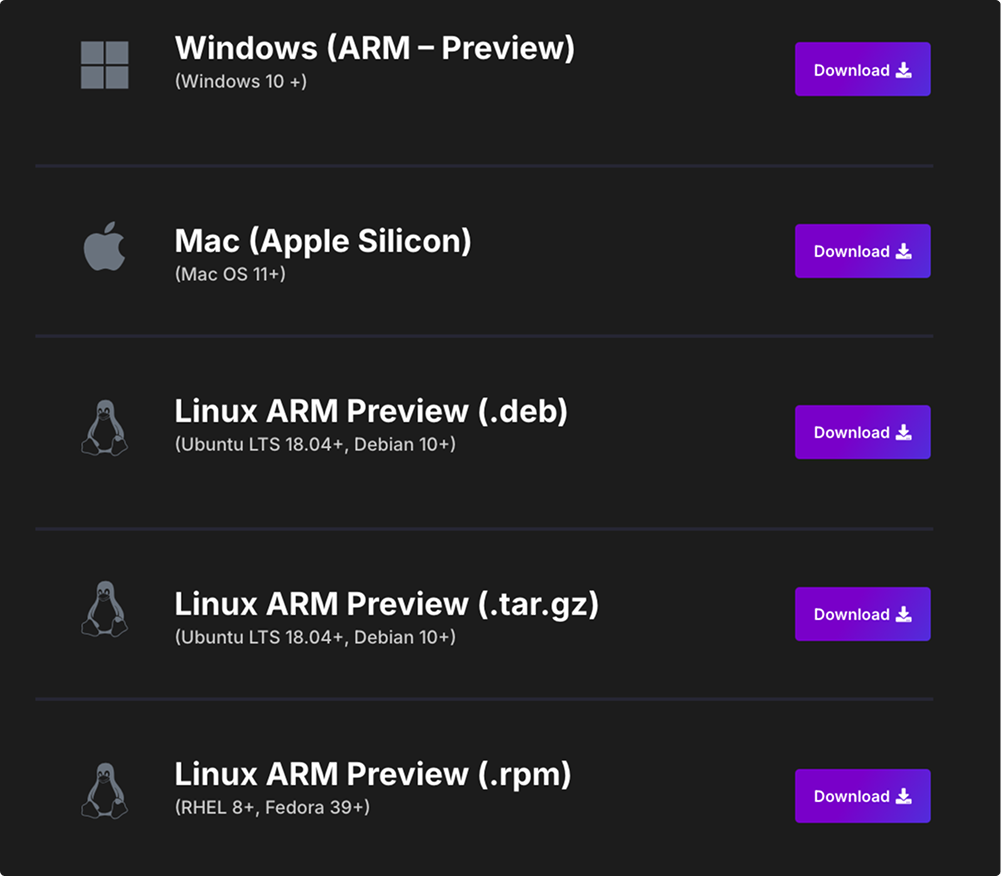
The problem: Running non-native builds on ARM architecture means slower performance, weird compatibility issues, and that nagging feeling that your tool isn’t optimized for your machine.
The solution: We now offer native ARM builds across all platforms. If you’re running ARM architecture, GitKraken Desktop will prompt you to download the ARM build, giving you faster performance across the board.
Grab the ARM builds at gitkraken.com/download. Your M1/M2/M3 Mac (or ARM-based PC) will thank you.
A Note on Custom Themes: Transparency During UI Modernization
What’s changing: Custom themes are being sunset in version 11.8.0 as we modernize GitKraken Desktop’s UI architecture.
Why this matters: We’re rebuilding the foundation to improve performance and maintainability. The new architecture is faster and more stable, but it requires us to rebuild theme support from scratch rather than patching the old system.
What stays: Light, dark, and high-contrast themes remain available during this transition. You won’t lose the core theming options you rely on daily.
What’s next: We plan to restore custom theme support once the modernization is complete. This isn’t about removing features permanently. It’s about building them better.
We know custom themes matter to developers who’ve invested time personalizing their workspace. This decision wasn’t made lightly. But technical debt compounds, and sometimes moving forward means rebuilding the foundation properly.
If you rely heavily on custom themes, you may want to stay on 11.7 until custom theme support returns in a future release. We’ll keep you updated on progress through our changelog and social channels.
Questions about the UI modernization or timeline? Reach out to our support team. We’re here to help you navigate the transition.
What This Release Really Means
GitKraken Desktop 11.8 isn’t about adding features for the sake of a version number. It’s about removing the friction, anxiety, and time waste that comes with modern Git workflows.
You shouldn’t need to be a Git expert to understand what changed on a branch. You shouldn’t fear rebasing because there’s no undo button. You shouldn’t need three apps open to preview a markdown file.
These features were built because you asked for them. They work the way you’d expect them to work. And they make Git feel less like a minefield and more like a tool that actually helps you build.
Ready to try GitKraken Desktop 11.8? Download it today at gitkraken.com/download or update through the app if you’re already legendary.
From all of us at GitKraken,
Stay legendary.
Got feedback on these improvements or suggestions for what to optimize next? Join our Slack community or tweet at us @GitKraken.


 Add to Chrome
 Add to Firefox
 Add to Microsoft Edge